

Give your groovebox
a compa.
GROOVEBOX COMPANION
Your groovebox brings the sound. COMPA lends a paw—opening up the controls, putting new parts within reach, and helping you sample, shape, and record what happens next.
Keep your hardware sequencer running. Bring COMPA in to catch a take, add a rhythm, or ride an effect. It can help with one part of the jam or more of the session when you need it.
Intro price $24.99 USD through October 14.$39.99 starting October 15.CHOMP, Quota Stems, and Quota Kits included.
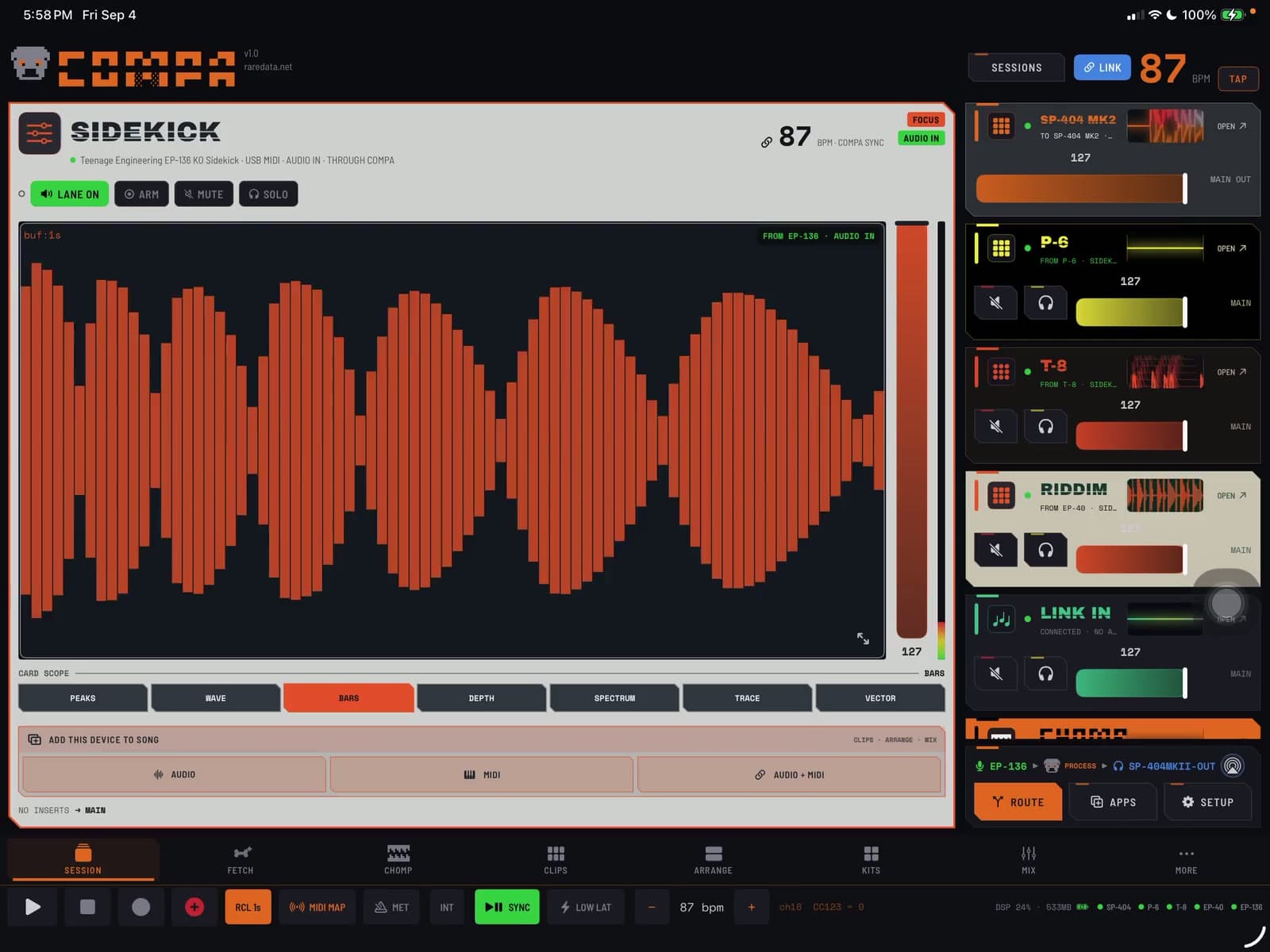
MADE FOR YOUR GROOVEBOX
What can COMPA do
for the box you own?
Pick a supported device and look through its real COMPA card and workspaces. Each profile follows that instrument’s own controls, channels, pads, and performance jobs—without making you build a controller map first.
SP-404MKII
Play one pad chromatically, reach the SP’s own effects and patterns, remote its Looper and DJ mixer, and put verified parameters in motion.
Recorded with an SP-404MKII connected · COMPA 1.1 development capture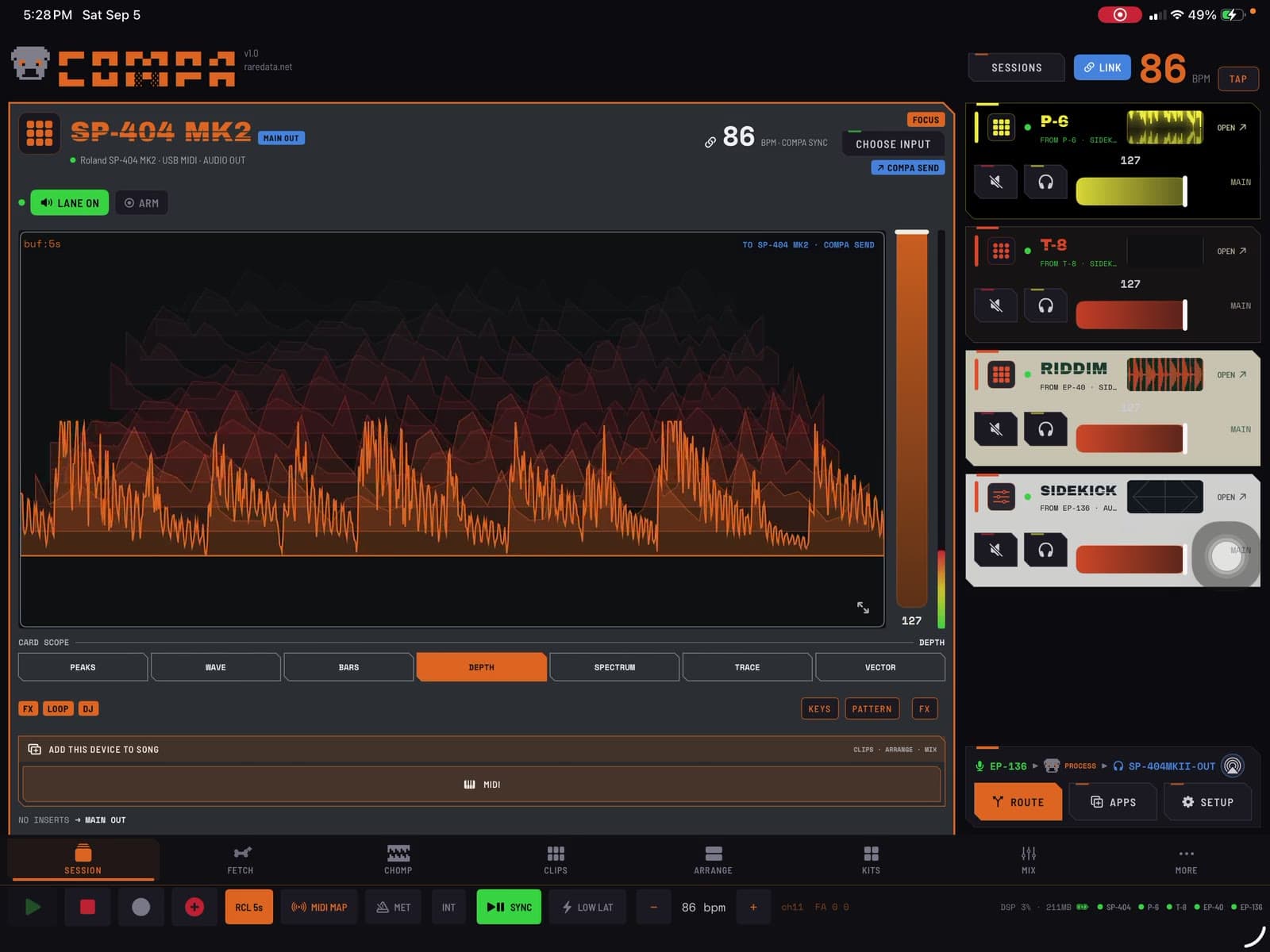
See the SP inside your rig.
COMPA recognizes the SP, shows its live audio, and gives its useful workspaces a direct home.
These are featured profiles from COMPA’s larger recognition library. Audio connections and hardware USB/MIDI modes still depend on the device; some setups need an interface or powered hub. COMPA is independently made and is not affiliated with these manufacturers.
INSIDE COMPA
Where could you use
a paw?
PATTERNS
A bassline to try.
A rhythm to build on.
Need another part under the beat? Browse basslines, melodies, and drum grooves by genre, then hear one on your connected instrument or AUv3. Keep the notes you like and change the rest.
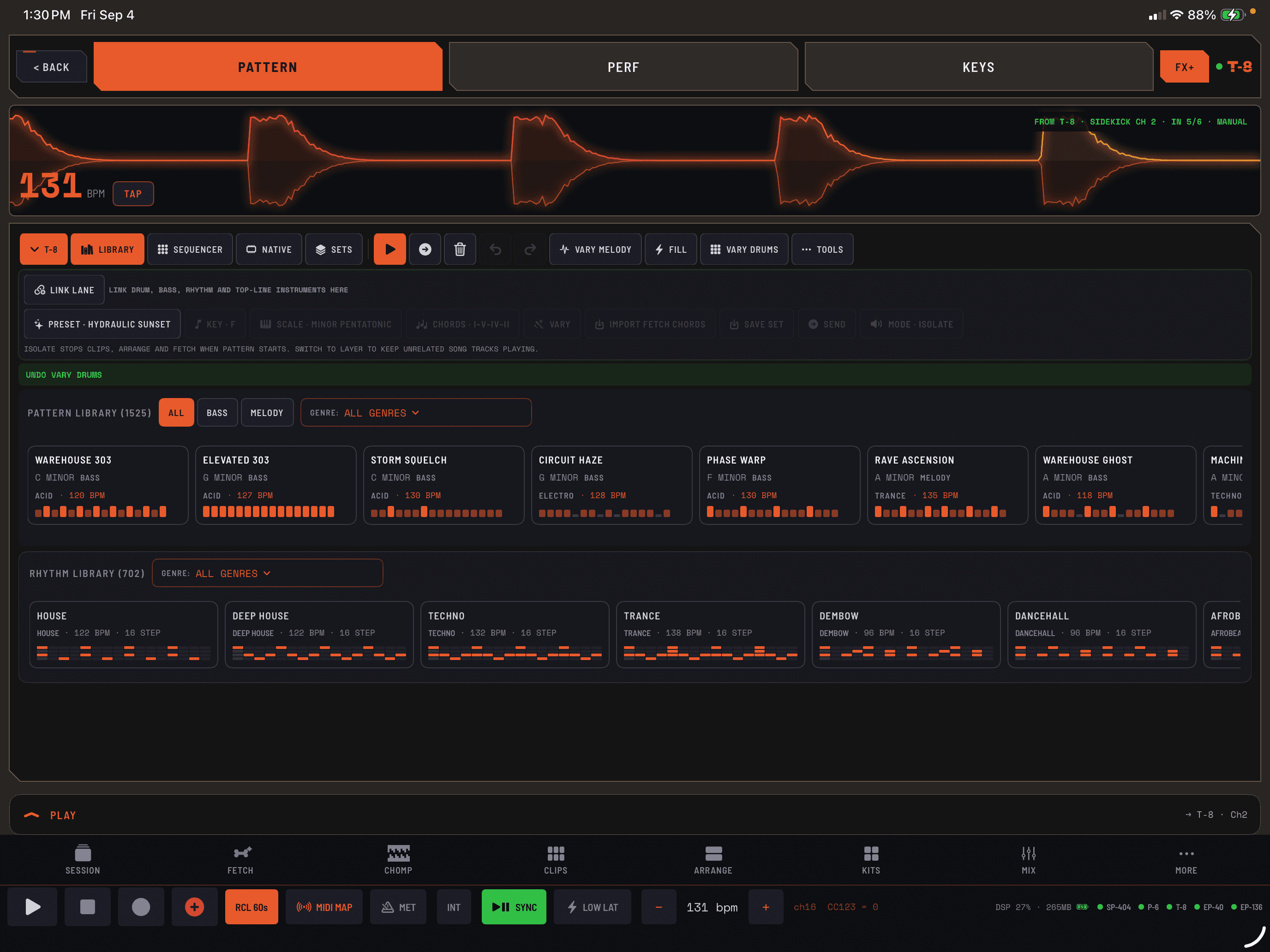
The launch app includes over 1,000 melodic presets plus a rhythm library. This COMPA 1.1 development capture previews the expanded catalog and linked-group controls.
The right sequencer.
COMPA identifies melodic and drum AUv3 instruments and presents the matching note or drum grid. You can change the instrument role when an app needs a different approach.
Hardware or app.
Use the same musical workflow with compatible MIDI gear and hosted instruments. Hardware profiles add the lanes, pads, or native-pattern controls that suit the device.
Make it your own.
Edit notes and timing, add accents and variations, or explore FETCH for a new idea. Save the result and bring it into a song.
ABLETON LINK AUDIO
Let your devices
hear each other.
Send COMPA’s mix—or individual sources—from your iPhone to your iPad. Choose which incoming channels to hear. No computer. No Ableton Live required.
Share the mix, a hardware input, or a hosted instrument over your local network.
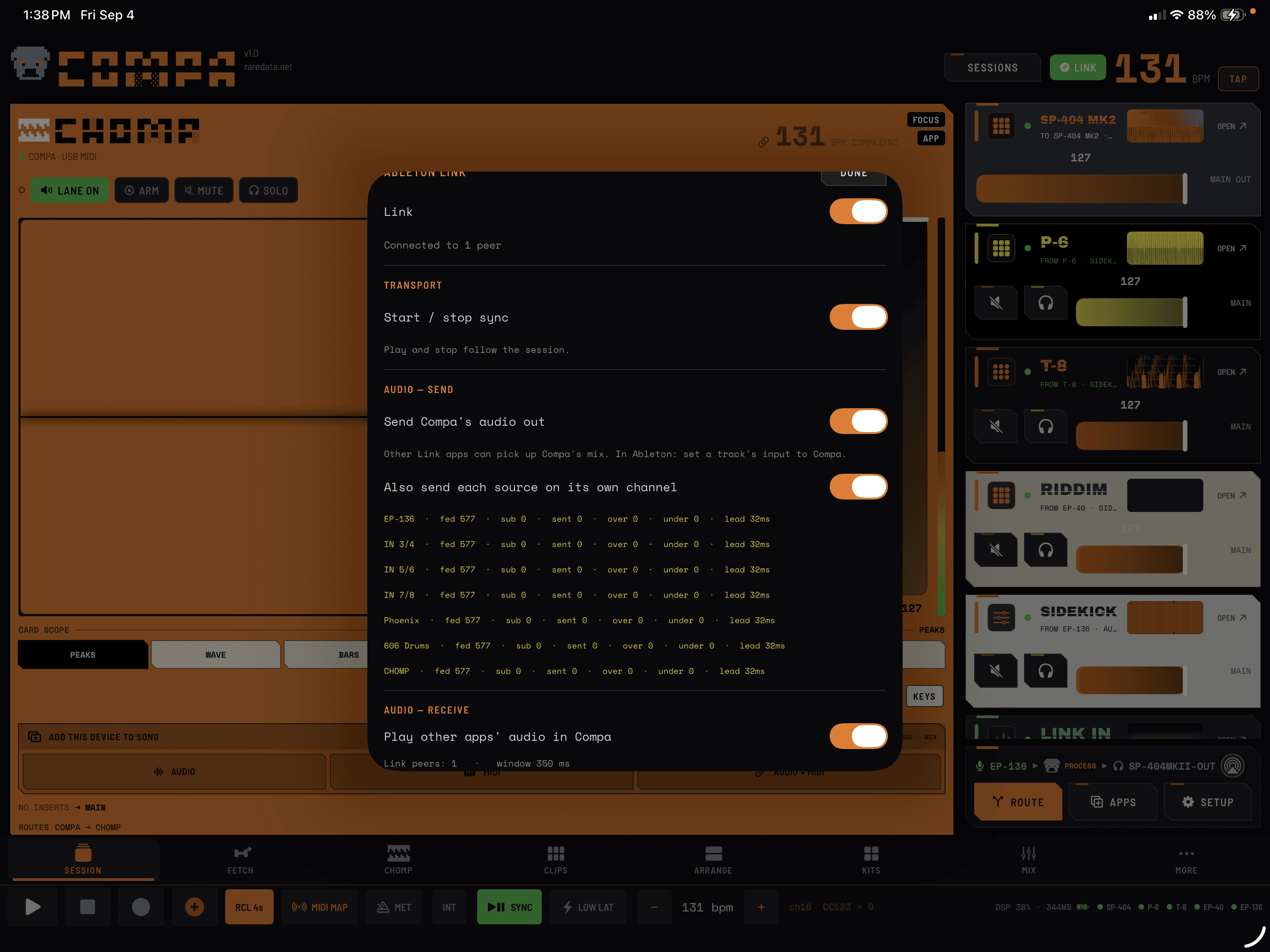
Share what the other device needs.
Publish the full mix or send sources on their own named channels. On the receiving device, select the channels you want to monitor.
Share tempo.
Ableton Link keeps participating apps on the same musical clock. Tempo sync can stay on while audio sharing stays off.
Choose who follows.
Enable Link Start/Stop when you want playback to follow the session. Choose MIDI clock and transport separately for each hardware device.
Share audio.
Enable Link Audio send and receive to move sound, not just timing. Both devices need network permission and a compatible local connection.
Wireless audio uses receive buffering and depends on network quality; it is not a zero-latency cable replacement. Link Audio and Link tempo/transport are separate controls.
MIX
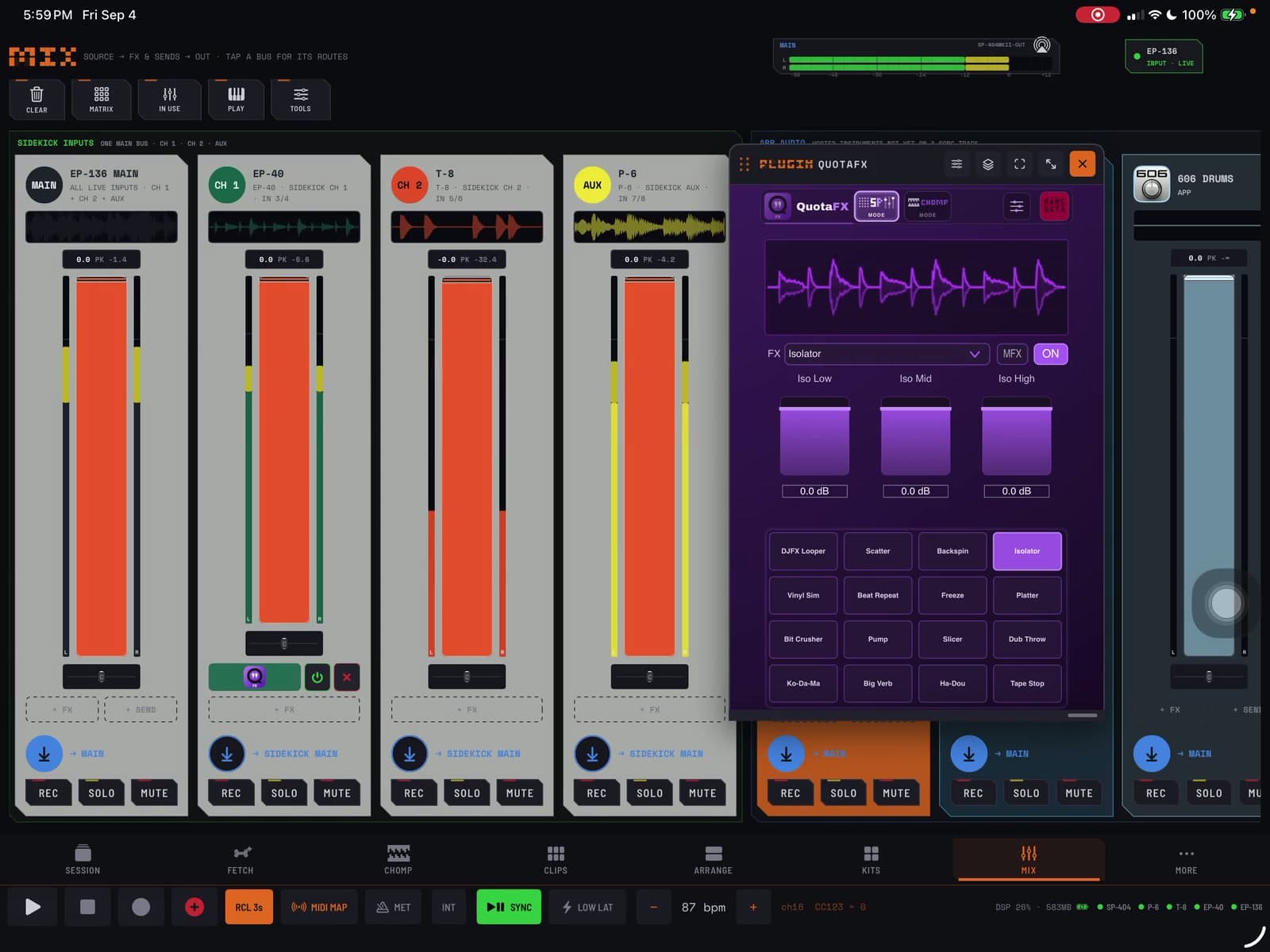
Mix what you bring in.
Bring an app up under your drum machine, send a source through an effect, or record the balance you’ve found. Use the mixer for the parts passing through COMPA; the rest of your setup can keep doing its thing.
- Levels + panSee the meters and set each source in the mix.
- Inserts + sendsAdd effects to a source, route it to a send, or process the master.
- Record, solo + muteAudition a part, isolate it, or capture a performance.
- Hardware + AUv3Keep connected gear and hosted apps in the same view.
ROUTE + SYNC
One device in.
Another device out.
Use one connected hardware device as the audio input and another as the output. Process or record in COMPA between them, while your other instruments stay connected over MIDI.
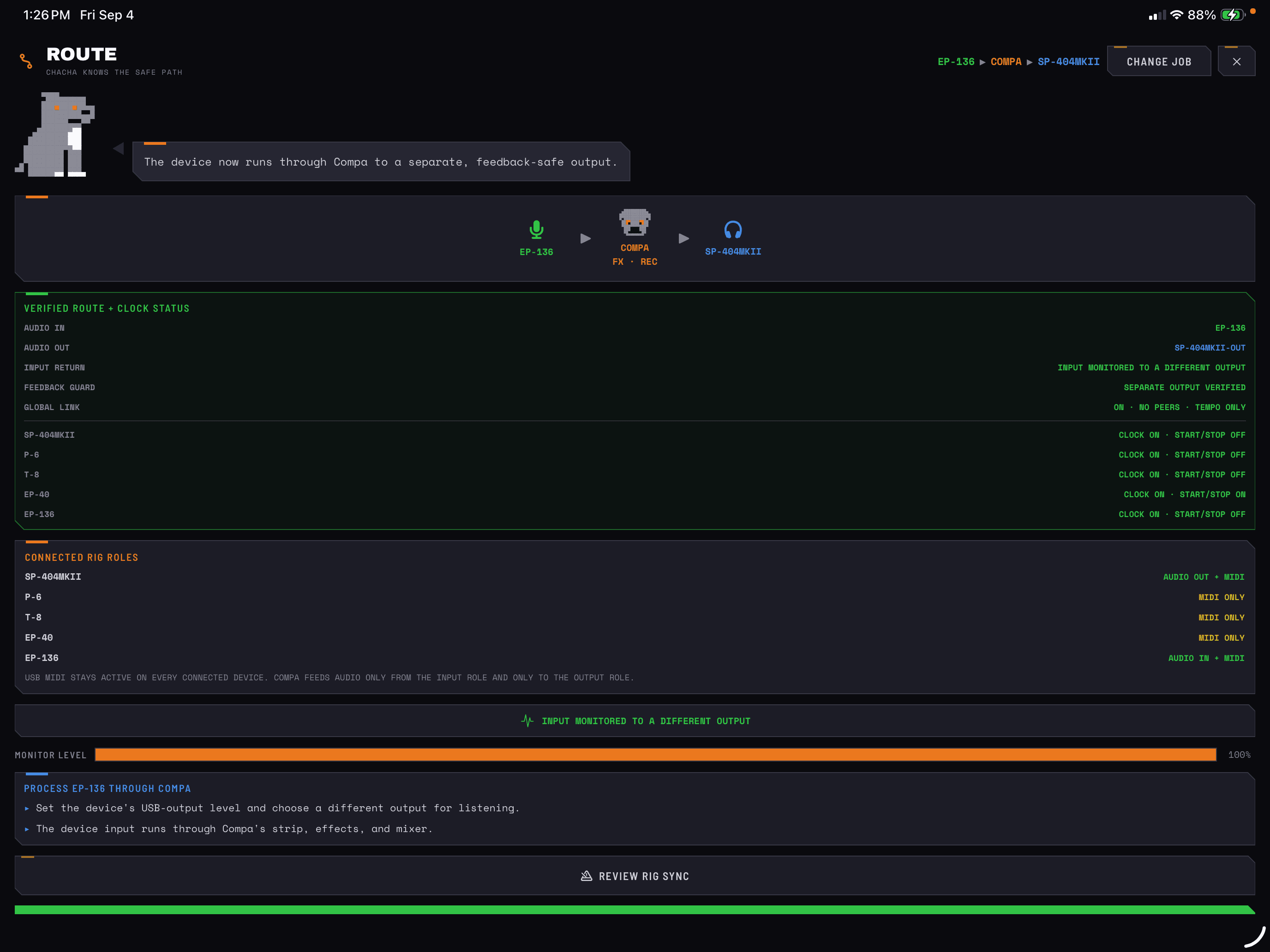
See the path. Hear the result.
ROUTE shows the input and output actually selected by iPadOS, with monitoring and feedback protection.
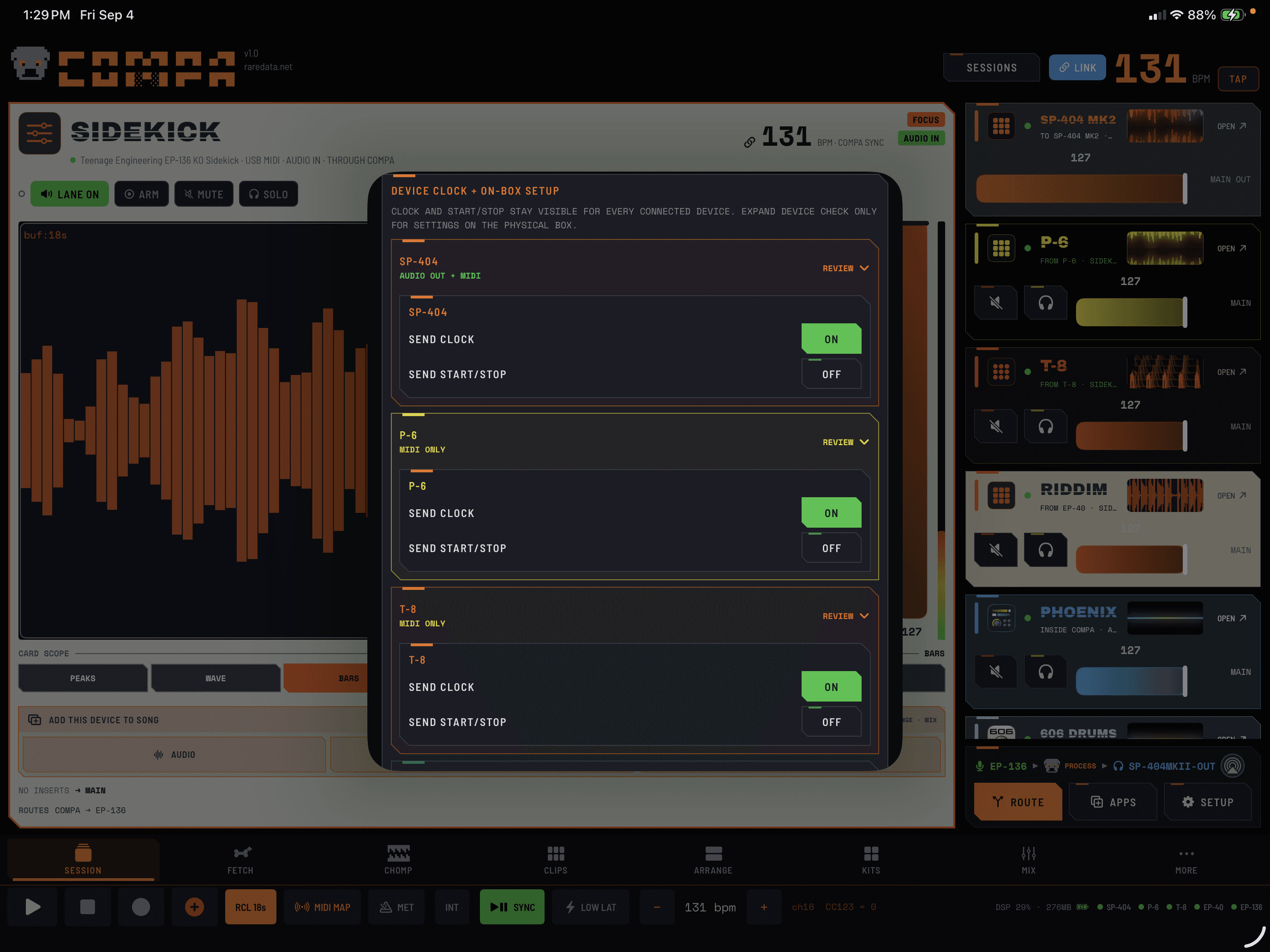
Sync on your terms.
Choose which devices receive MIDI clock and which follow Start/Stop. Keep a groovebox running independently when the performance calls for it.
Available routes depend on the devices, cables, and iOS/iPadOS audio route. Multiple input pairs come from one multichannel interface; COMPA does not combine arbitrary USB interfaces into an aggregate device.
SAMPLER / INCLUDED
CHOMP sampler

For the sound your groovebox doesn’t have yet.
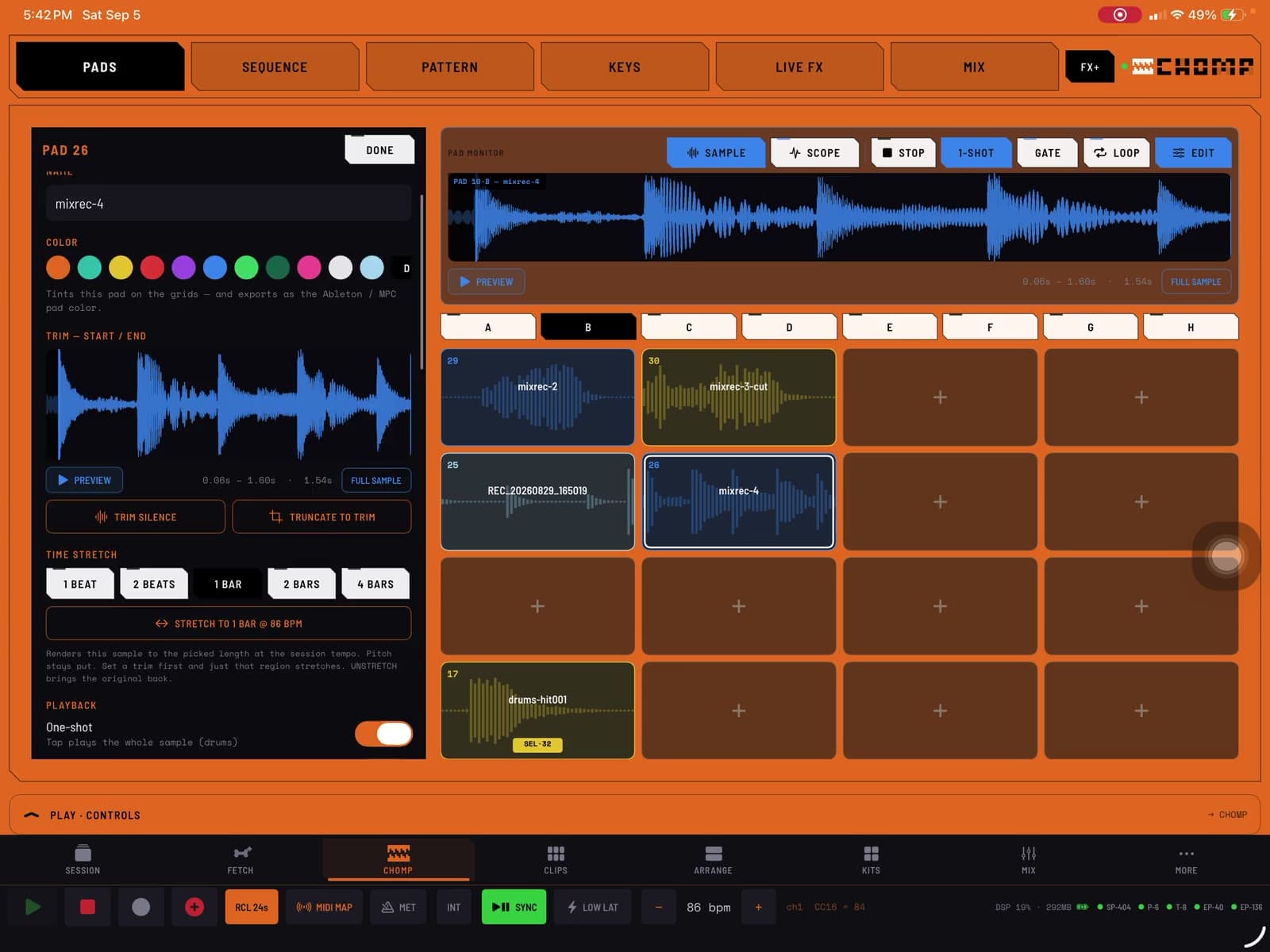
Start with a sound you want to play.
Record into a pad or load a sample. Trim the part you want, set how it plays, and build a kit around it.
Included in COMPA, and available as a CHOMP AUv3 instrument in compatible hosts. Captures include COMPA 1.1 previews.
CLIPS + ARRANGE
Keep that take.
Record the phrase you want to keep. Loop it in Clips while you play another part, or place it in Arrange when you want to work on the song. You don’t have to move your process here to use either.
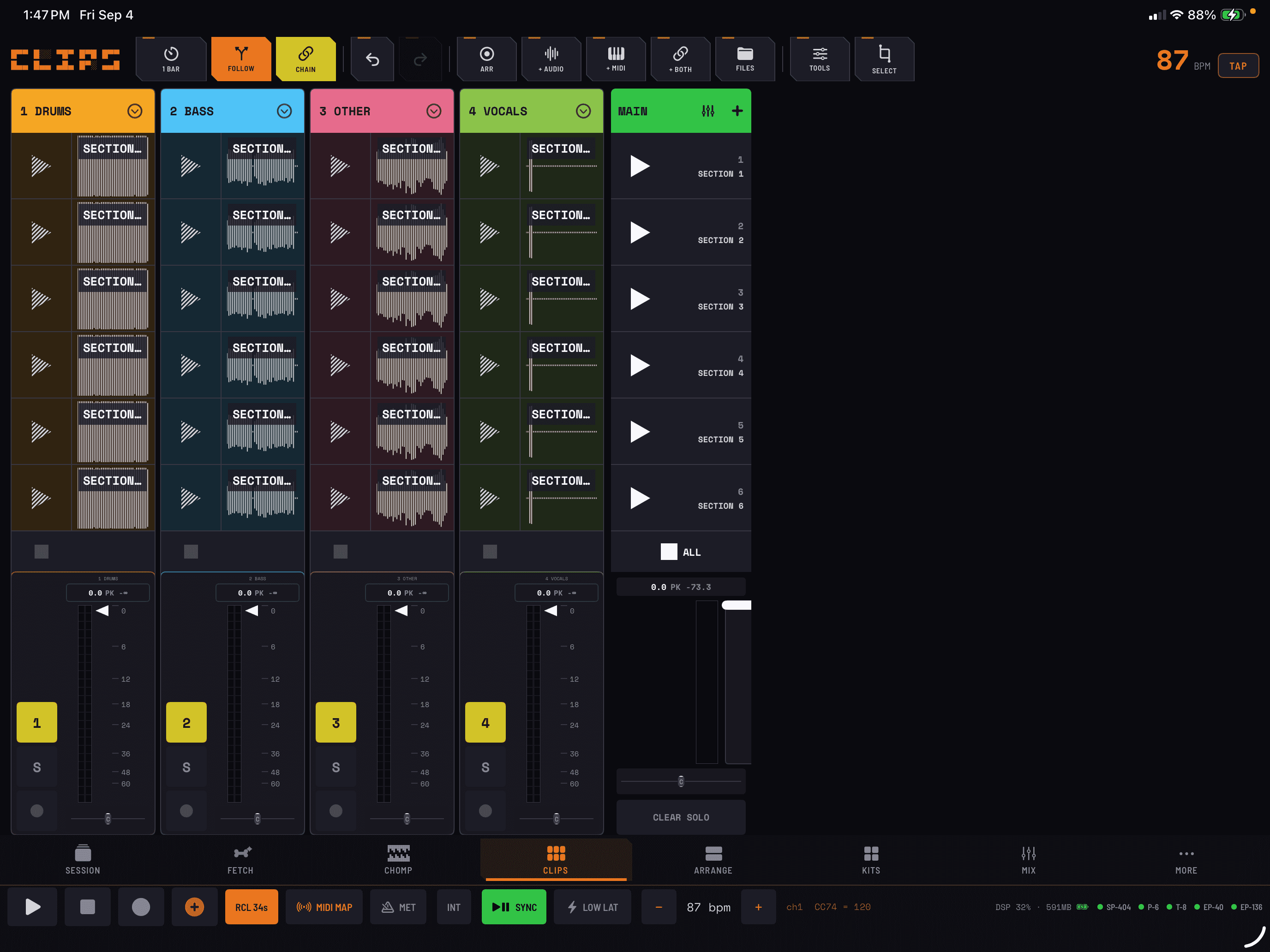
Keep the performance moving.
Record a loop, launch a clip or a scene, and try a new combination while the idea is fresh.
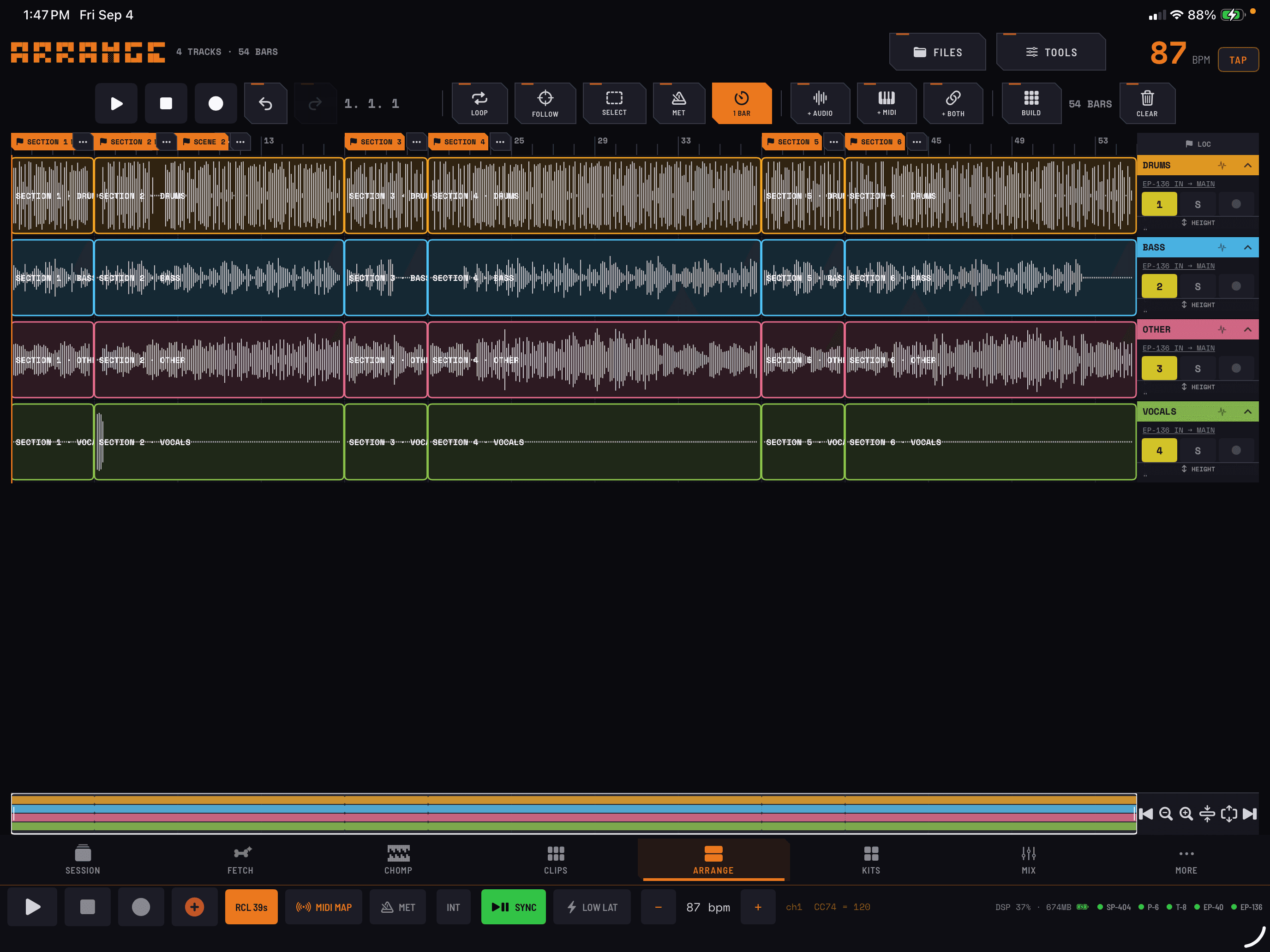
From jam to finished mix.
Place regions on the timeline, shape sections and automation, then export the arrangement.
QUOTA, INSIDE COMPA
More from your sounds.
Included with the app.
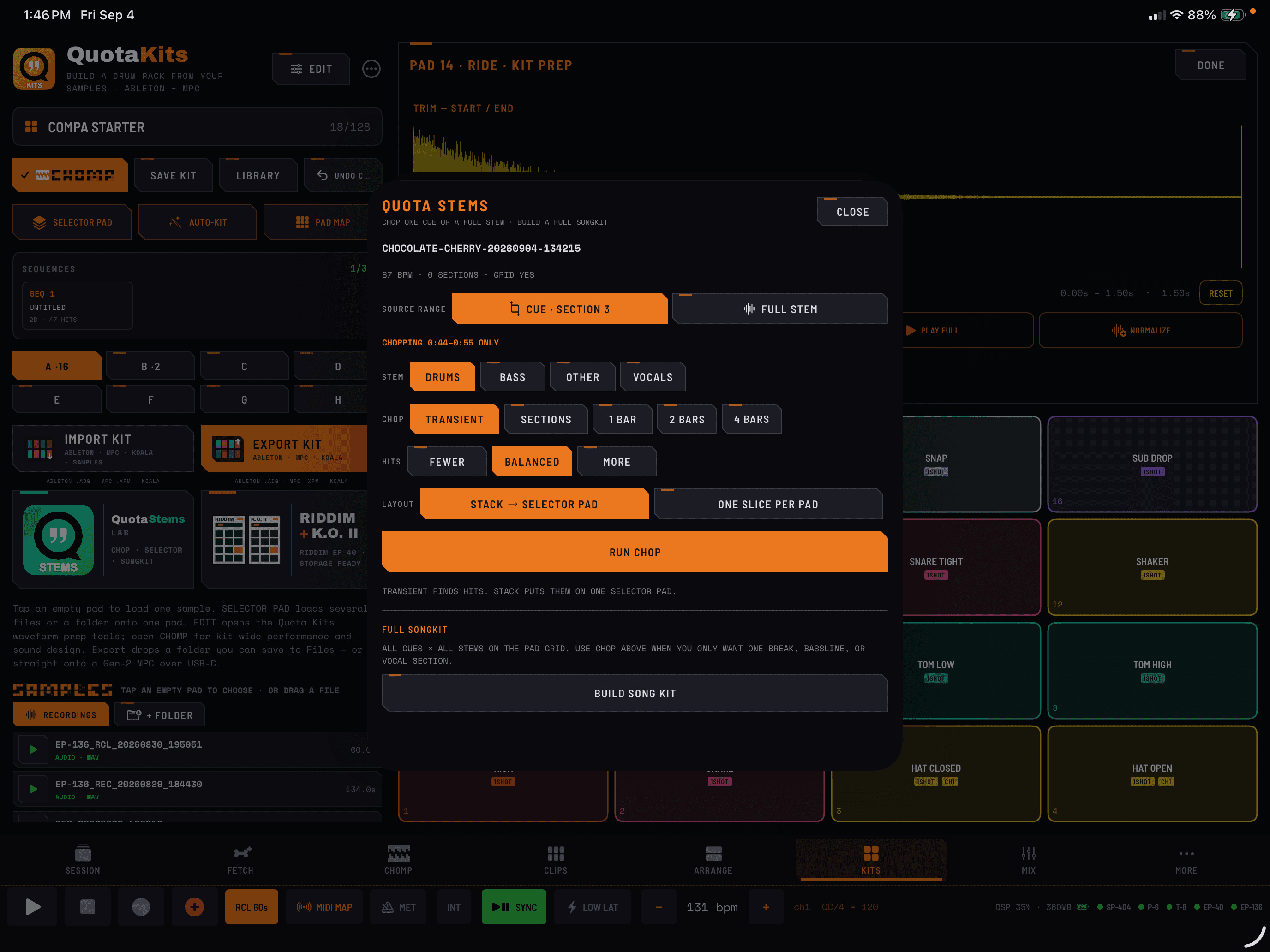

Find the moment inside the song.
Separate vocals, drums, bass, and other instruments on device. Preview cues, chop a section, and send the pieces to CHOMP, Clips, or Arrange.
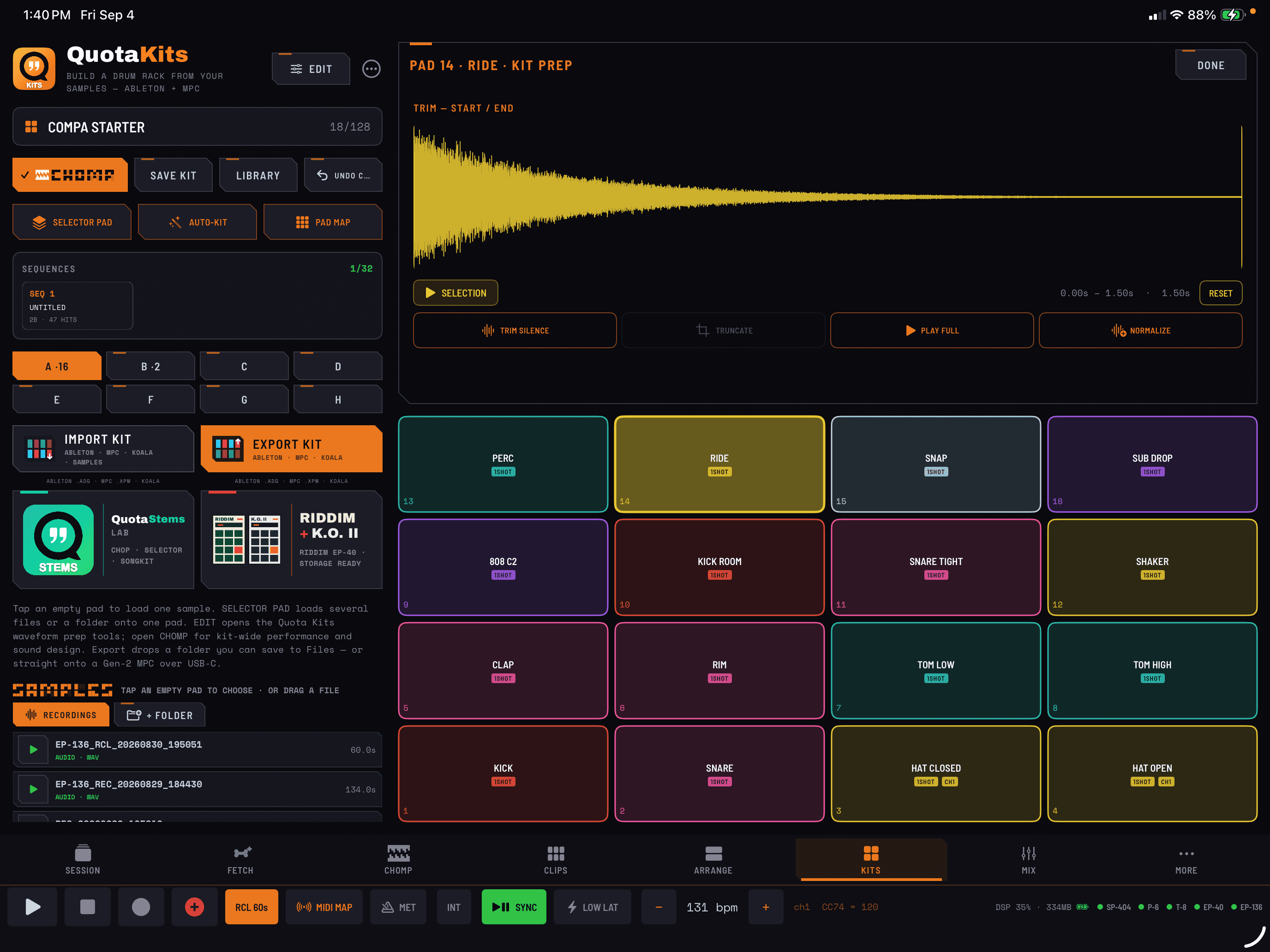

Build a kit. Take it with you.
Organize and convert your samples for the tools you already use, including Ableton Live, MPC, Force, and Koala.
Included inside COMPA for iPhone and iPad. No additional paid feature. Desktop Quota apps are separate products. Optional stem models require an initial download.
Your recordings, samples, and performances stay on your device. You choose when to export files or share audio over your local network.
BEFORE YOU PLUG IN
A few good questions.
Do I need hardware?+
No. Start with CHOMP, FETCH’s built-in voices, or an AUv3 instrument. Connect a groovebox when you want to play, process, or record it.
Are Stems and Kits included?+
Yes. Quota Stems Standard 4 and Quota Kits are included inside COMPA on iPhone and iPad. There is no additional feature purchase. Desktop Quota apps are separate products; their capabilities are not identical to the versions inside COMPA.
Which hardware works?+
COMPA works with compatible class-compliant audio and MIDI gear. Device profiles expose the channels and controls each model actually supports. Some hardware is MIDI-only and needs a separate audio return. Exact model generations matter.
What is included as AUv3?+
COMPA includes CHOMP and FETCH + KEYS Audio Units for compatible hosts. Inside COMPA, you can host AUv3 instruments, MIDI processors, and effects. Third-party apps are purchased separately and compatibility varies.
Do I need Ableton Live to share audio?+
No. Two COMPA devices can share a mix or individual sources over Link Audio without a computer or Ableton Live. Both devices need local-network access and Link Audio enabled. Select what to send, then enable the channels you want to hear on the receiving device. Tempo sync and Start/Stop sync are separate settings.
Does my music leave my device?+
COMPA does not upload your recordings, samples, or MIDI performances to a Rare Data service. Optional model downloads need an internet connection. Link Audio and file exports share music only when you choose those workflows.
Where can I get help?+
Use Ask ChaCha inside COMPA or email support@getquota.app. For hardware issues, a Sniff Test report helps identify the audio and MIDI connections.
AVAILABLE NOW / iPHONE + iPAD
Make something
rare.
Intro price $24.99 USD through October 14.$39.99 starting October 15.CHOMP, Quota Stems, and Quota Kits included.
Latest release: COMPA 1.4, available now. App Store prices vary by country.